
Messaging
New user interface
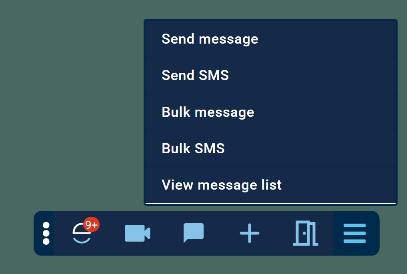 Over the next couple of months, we will be improving outbound messaging based on your valued feedback. In this release, you will see a new sidebar in the Engage Client and a new menu in the Engage Toolbar that will allow you to quickly select the type of message you want to send.
When creating your message or SMS, we will automatically load and select the patient that is currently loaded in your clinical system:
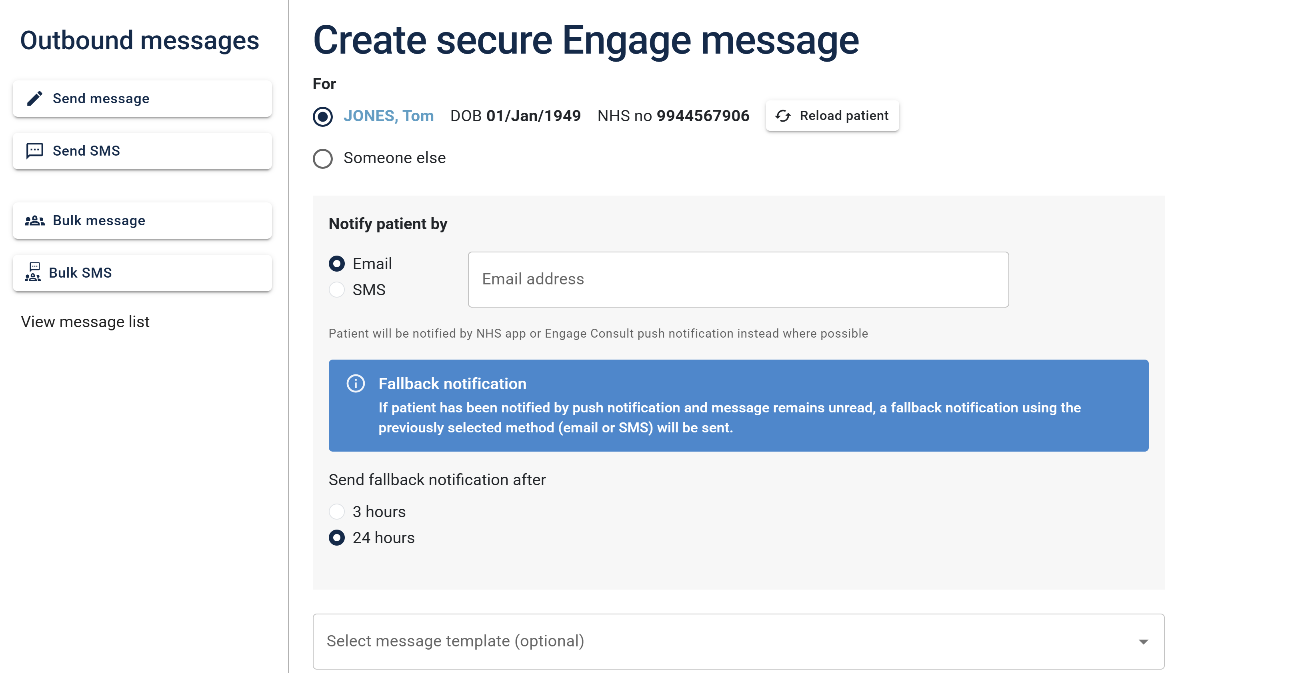
If necessary, you can easily select to send the message to someone else and search for the patient required. The new, improved user interface, presented on a single page, enables a more streamlined experience with fewer clicks.
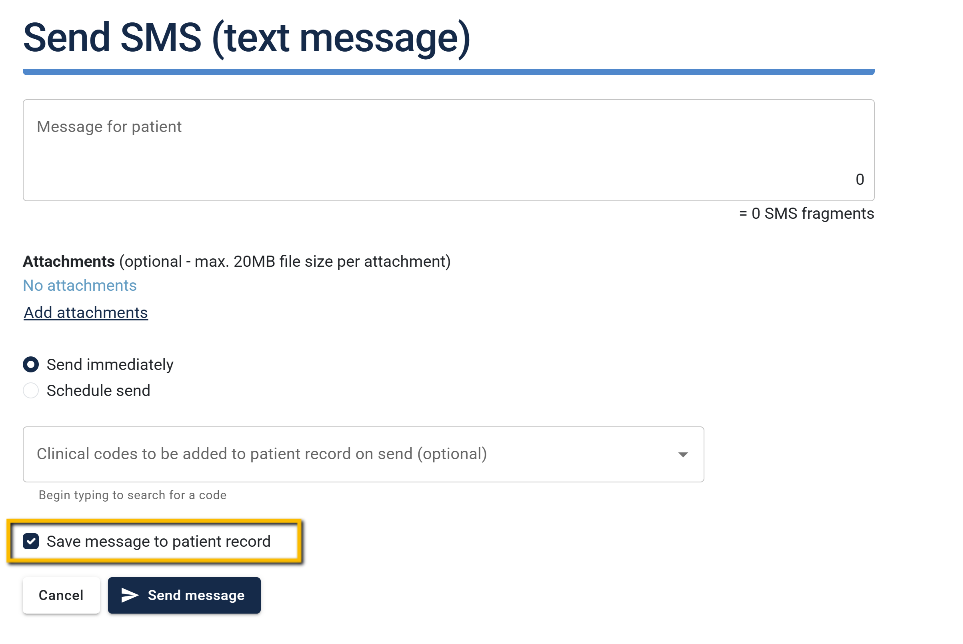
Prevent SMS being recorded
You can now prevent individual SMS from being saved to the patient's record.
Online consultations
Attach queue
When requests are sent to the patients' clinical records, they are added to a queue. We've done some work to speed up this process, ensuring that the requests appear on the patient's record as soon as possible.
Service disabled
We've amended the text displayed to your patients should you disable your online services, just to make it clear that the service is temporarily unavailable rather than a technical error: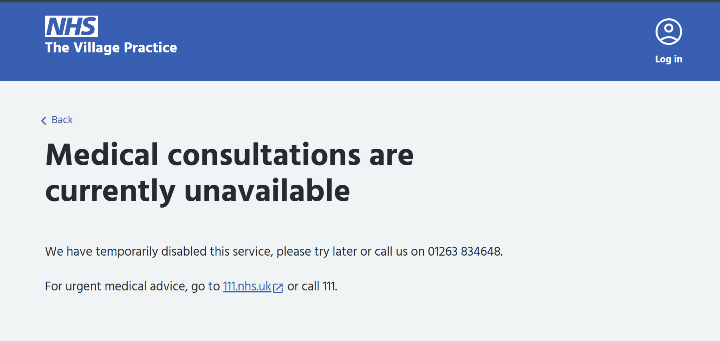
Questionnaires
You can now share your questionnaires outside of Engage Consult, using the unique link found alongside your questionnaire in the Management Console:
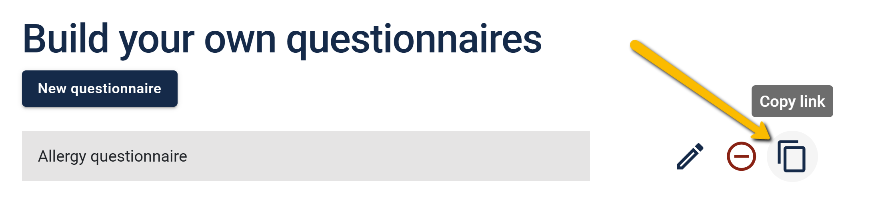
This link allows you to share your questionnaires, for example, on your website, in your messages, and on your social media. As always, patients responding to the questionnaire will be identified and their responses will arrive in your Engage Client as per your care navigation rules.
Appointment arrival
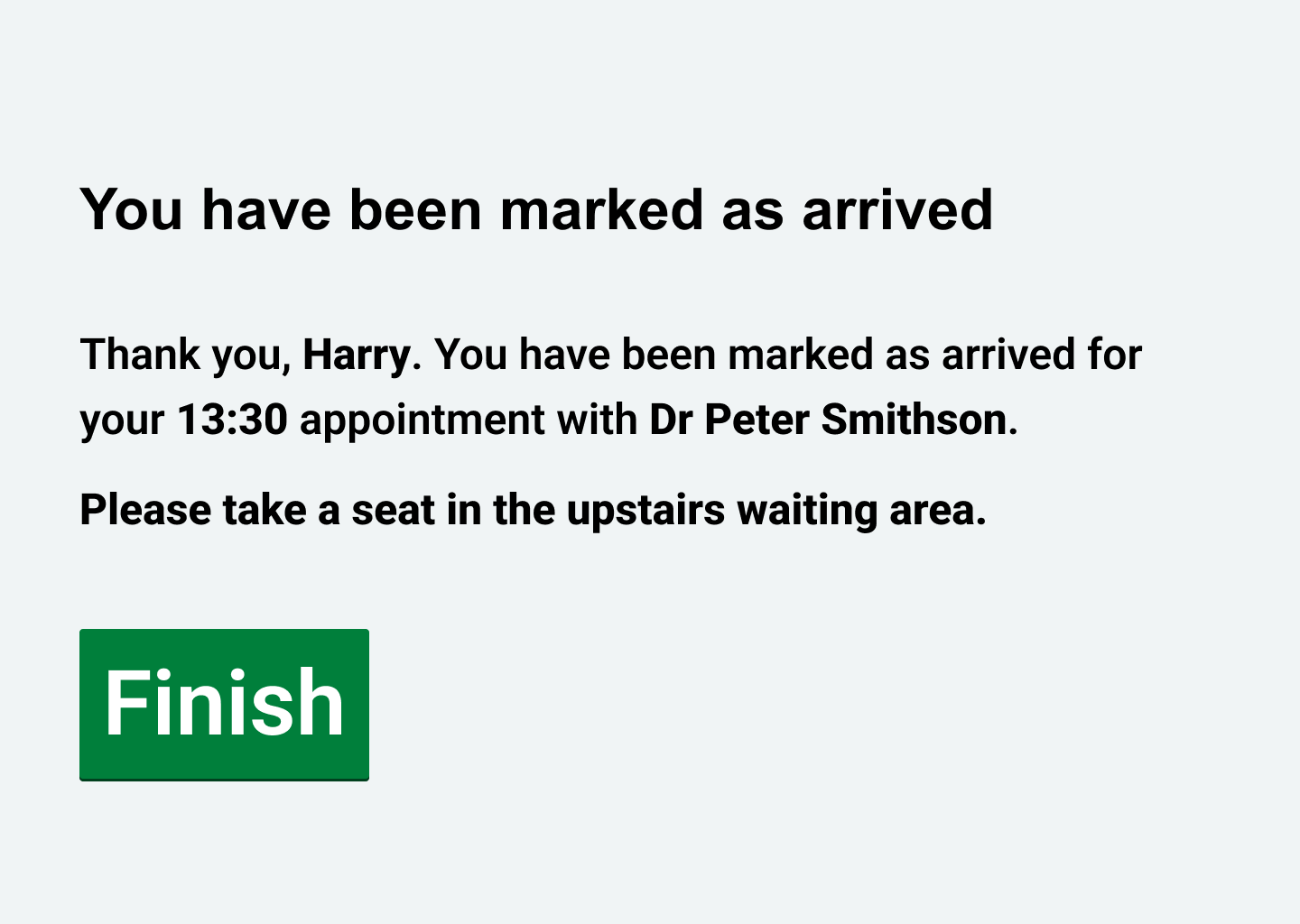
You told us that patients don't always notice the waiting area instructions, so we've made a small tweak to highlight these in a bold font:
Bug fixes
- Fixed an issue where questionnaire names were validated against all organisations instead of just your own. Names now only need to be unique within your organisation.
- We had an issue reported with Vision where a relative's number was pulled through from the clinical - it will now look for the primary mobile number.